Grasshopper
E+005 number view- change to view entire number
Hi,
I have a list of numbers being output to a panel but they are large so they are viewed as E+... instead of the whole number. Is there a way to change the setting so that when I output the file into a .csv file they are in their actual number format?
example: 2.350600E+005 (scientific notation) would be viewed as 235060.0 instead.
Thanks!
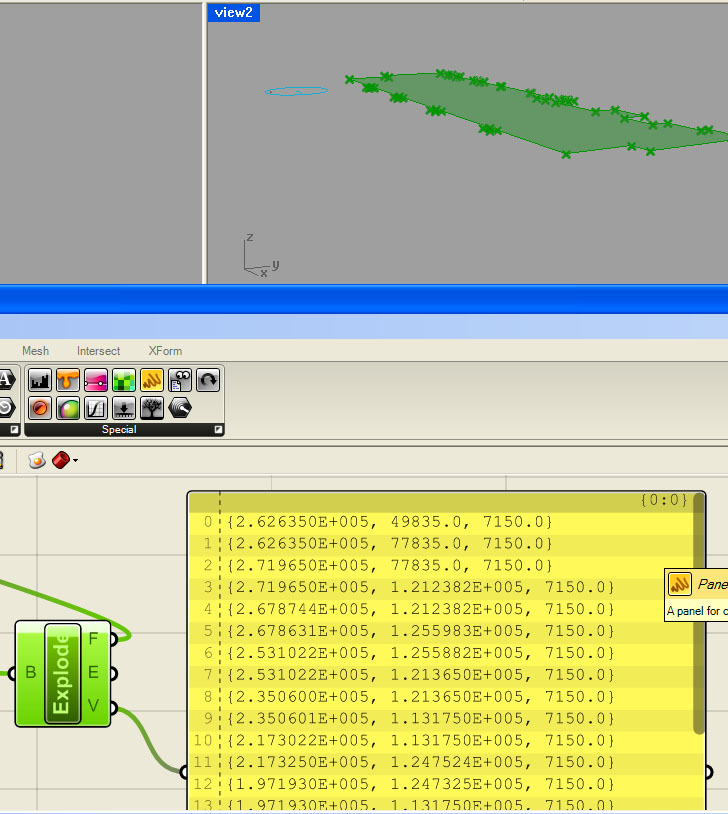
I have a list of numbers being output to a panel but they are large so they are viewed as E+... instead of the whole number. Is there a way to change the setting so that when I output the file into a .csv file they are in their actual number format?
example: 2.350600E+005 (scientific notation) would be viewed as 235060.0 instead.
Thanks!
Vicente Soler
format("{0}",x)Connect the point list to the 'x' input and the expression component should return the list of points without scientific notation.
Oct 1, 2009
Stan Carroll
I am reading point coordinates from an excel file and using the data in GH. In excel the format of the numbers are not in scientific notation. When those numbers are represented in GH they are automatically transformed to scientific notation. Consequently, some of the digits are not shown. For example, 166466.9352 in excel becomes 1.6647e+5 in GH. I am concerned that some rounding has taken place and the point will be in the wrong place. Can anyone shed some light on whether the number actually got rounded when used in GH? Is there a way to set the number of digits before rounding. If it got rounded is there a way to ensure the proper number of digits are carried over to GH.
Thank you
Stan
Jan 13, 2011
Jonathan Wiederin
Where exactly do i have to type in that code?
thanks
Nov 14, 2012